MiddAI - Private Offline AI from Middae
A downloadable tool
This page is no longer maintained.
For the latest version of MiddAI, including downloads, source code, release notes, and current project information, please visit the GitHub page linked below.
https://github.com/Middae/MiddAI
-------------------------------------------------------------------------Offline AI. Online intelligence when you need it.
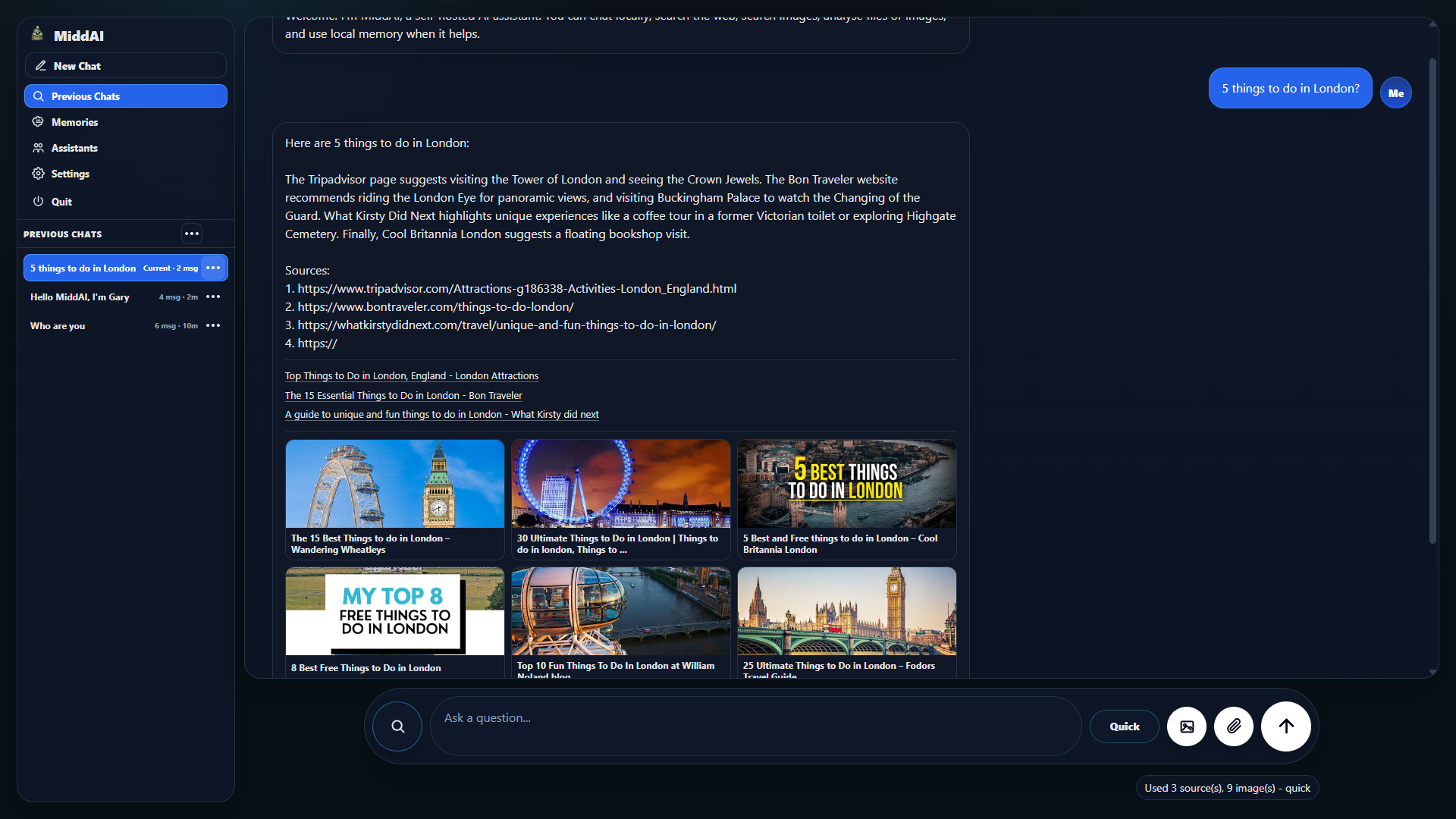
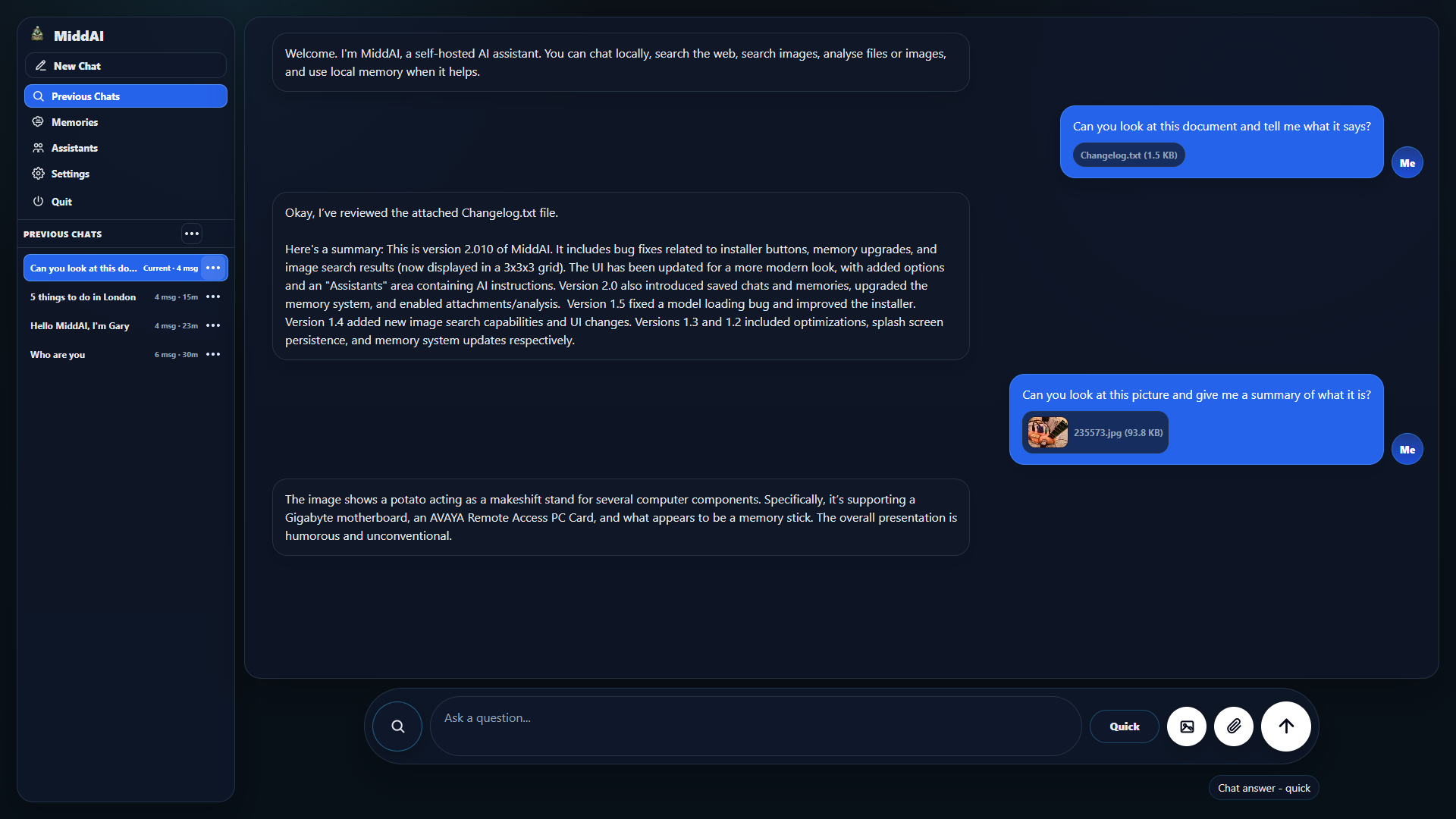
MiddAI is a self-hosted AI assistant that runs on your own computer. It can work fully offline, but when connected to the internet it can search the web, check facts, and use results to improve its answers.
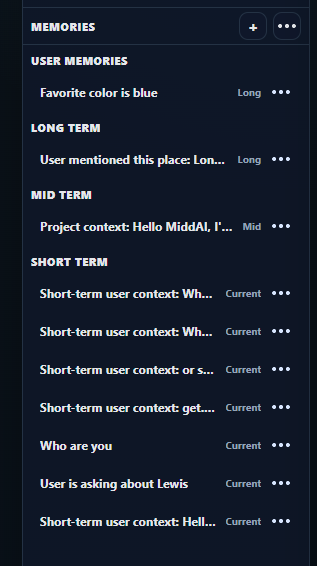
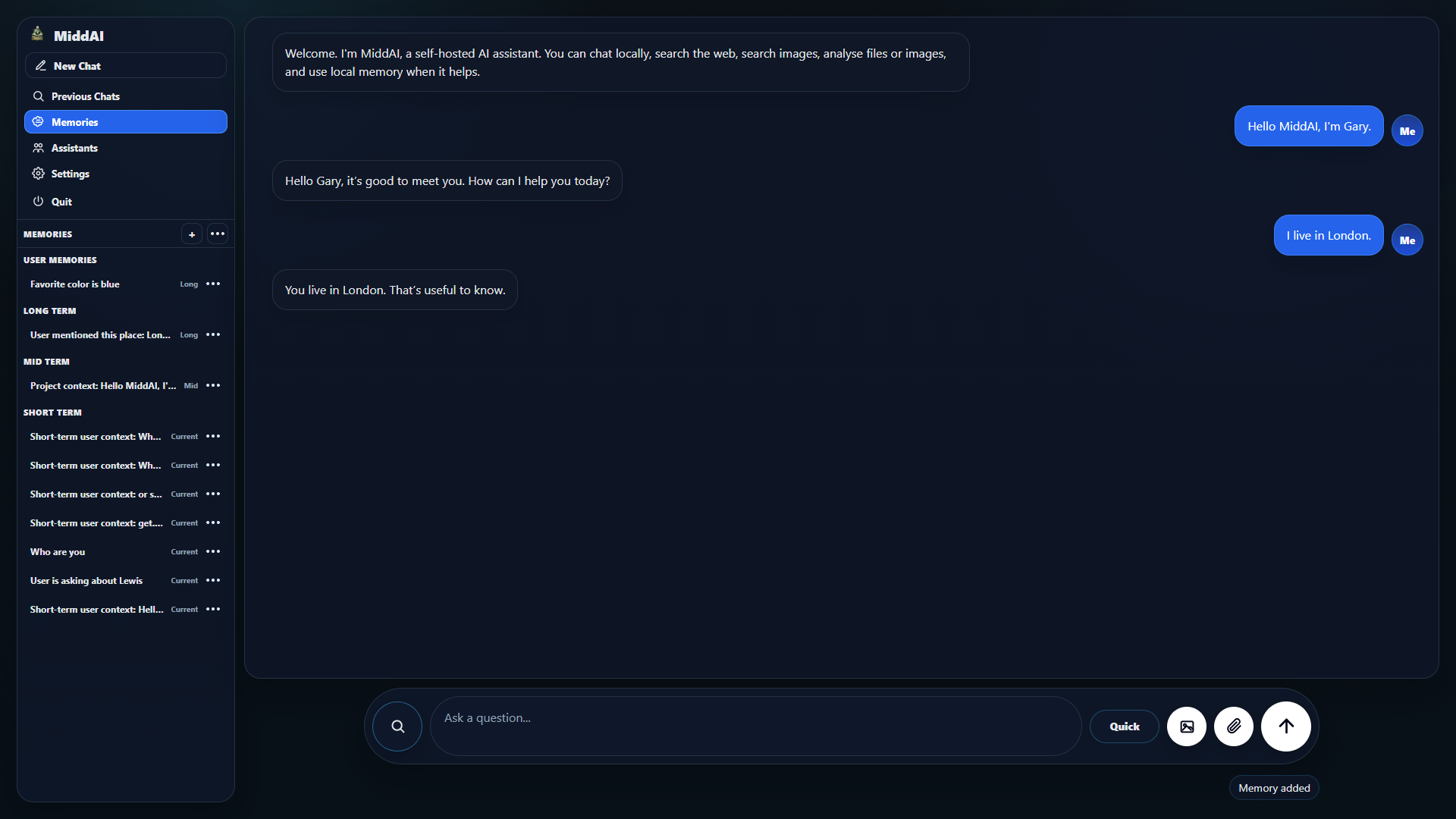
It also includes a built-in memory system, allowing the assistant to remember useful information between chats.
MiddAI is built for people who want the privacy and control of a local AI, without losing the powerful features that make cloud AI useful.
Privacy
Chats, memory, settings, and instructions are stored locally on your machine. If you delete your chats, memory, or the Documents\MiddAI folder, that data is removed from your device. MiddAI does not collect, upload, sell, or share your personal data.
Easy Setup
Getting started with MiddAI is simple:
Download MiddAI, extract the folder, download LM Studio (https://lmstudio.ai/download), open LM Studio once, then run MiddAI.exe.
The first time MiddAI starts, it will automatically create its setup files, download the AI model, and launch the local server.
MiddAI also includes a README with setup notes and troubleshooting help. Please read it before first use.
Your settings, AI instructions, and memory file are saved locally in:
C:\Users\YourName\Documents\MiddAI
Free to Download
MiddAI is free to download and use.
Because it runs locally on your own computer, there are no cloud usage fees or subscription costs. The only cost is the processing power and electricity used by your own device while the AI is running.
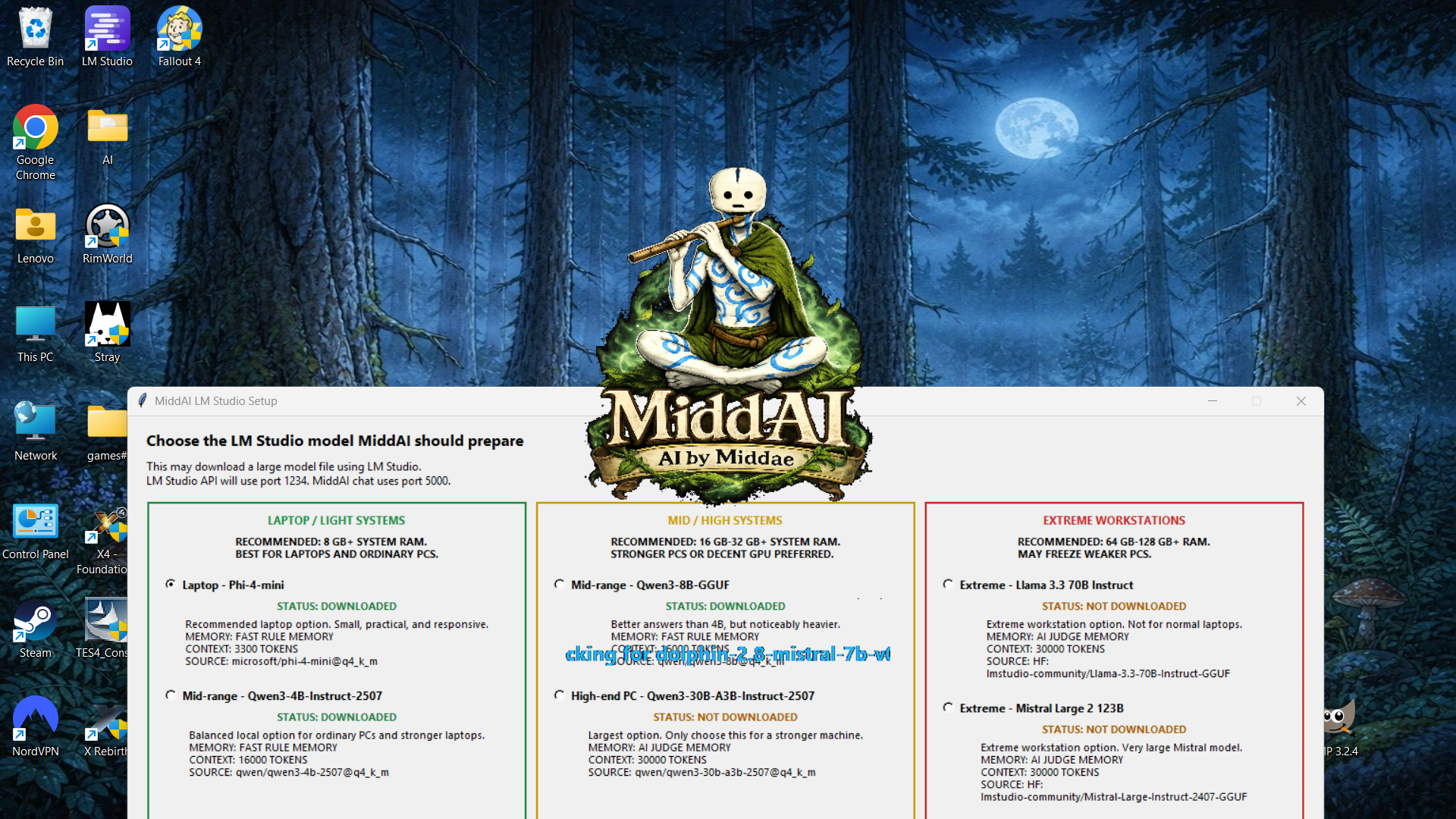
MiddAI supports multiple AI model options for different types of hardware. You can choose a smaller model for lower-end laptops, or a larger model if you have a more powerful PC.
For example, my own laptop runs the lowest model with a shorter context length, using around 3 GB of RAM.
This means you do not need a high-end gaming PC to try MiddAI, although stronger hardware will allow larger models, longer memory/context, and better performance.
Models
Laptop: Phi-4-mini, rules memory/own workstation, 6,000 context
Mid-range: Qwen3-4B, AI Judge memory, 30,000 context
Mid-range: Qwen3-8B, AI Judge memory, 30,000 context
High-end: Qwen3-30B-A3B, AI Judge memory, 70,000 context
Extreme: Llama 3.3 70B Instruct, AI Judge memory, 120,000 context
Extreme: Mistral Large 2 123B, AI Judge memory, 120,000 context
System Requirements
[Base Requirements]
MiddAI requires Windows, LM Studio installed, and enough free storage for whichever AI model you choose to download. The program itself is light; the selected model is what determines RAM, speed, and storage use.
[Laptop / Light Systems]
Recommended for laptops and ordinary PCs.
Suggested: 8GB+ RAM.
Models: Phi-4-mini, Qwen3-4B.
Memory: fast rules-based memory.
Context: 6,000-30,000 tokens.
Best for: quick local chatting, light search use, and lower-end machines.
[Mid / High Systems]
Recommended for stronger PCs, gaming PCs, or laptops with more memory.
Suggested: 16GB-32GB+ RAM.
Models: Qwen3-8B, Qwen3-30B-A3B.
Memory: Qwen3-8B uses fast rules memory. Qwen3-30B uses AI Judge memory.
Context: 30,000-70,000 tokens.
Best for: better answers, longer chats, stronger reasoning, and heavier local use.
[Extreme Workstations]
Recommended only for powerful workstation-class computers.
Suggested: 64GB-128GB+ RAM, or strong GPU/VRAM/unified memory setups.
Models: Llama 3.3 70B Instruct, Mistral Large 2 123B.
Memory: AI Judge memory.
Context: 120,000 tokens.
Warning: these models are very large and may freeze or crash on weaker PCs. - You must insert UNDERSTOOD into a locked window before you can download these models so don't worry about accidentally loading them.
Development log
- MiddAI is now on Github!78 days ago
- V2.0 Released!84 days ago
- V2.0 Sneakpeak!88 days ago
- VERSION 1.589 days ago
- Can You Run Local AI on an 8GB RAM Laptop?95 days ago
- No API Key AI Assistant for Windows95 days ago
- How to Use LM Studio with MiddAI95 days ago
- Free Offline AI Assistant for Windows95 days ago
Comments
Log in with itch.io to leave a comment.
hey buddy sent you a follow
ai looking good so far